TrueBond -Al Video Editor&Hug
- 4.6
- Rating
- 50.00K
- Installs
- Free
- Price

 Analysis by App-foxy
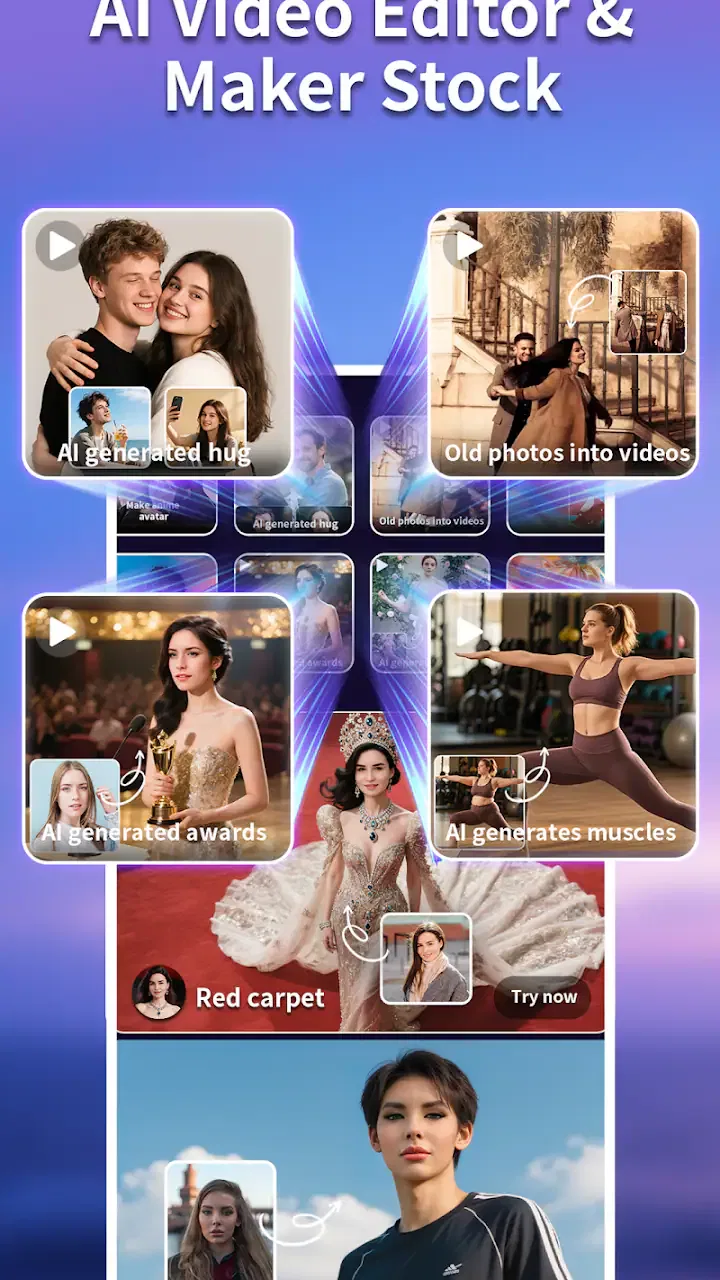
TrueBond -Al Video Editor&Hug is an AI-focused art and design app from KL Technology Limited that I found most interesting as a quick way to turn a simple idea into a short visual result. It is free to install, aimed at Teen users, and currently listed as version 1.6.1 for devices running Android 7.0 or later. The basic appeal is easy to understand: instead of beginning with a blank editing timeline, I can start with a concept and see whether the app can shape it into an AI video or a playful hug-themed visual.
That makes it different from a traditional mobile editor. Apps such as CapCut, InShot, or a standard photo editor usually ask me to bring the footage first, trim it, arrange it, and then add effects. TrueBond takes the opposite route. It is better suited to someone who wants an idea to lead the process, especially when the idea is a visual message for a friend, a social post, or a small personal project. I would not treat it as a full replacement for a conventional editor, but I can see why it has attracted an average rating of 4.6 from around 460 ratings and more than 50 thousand installs.
What to expect before making your first video
The first thing I would tell a new user is to keep the initial goal small. The app’s store summary promises a fast path from an idea to an AI video, but speed does not mean every result will be ready to publish without adjustment. AI-generated visuals can be surprising, and the quality of the outcome depends heavily on how clearly the idea is expressed and how well the source material fits the chosen treatment.
You May Also Like

 Blood Strike: 2.5 Anniversary
Blood Strike’s Loadouts Turn Every Drop Into a Tactical Gamble
A close look at Blood Strike’s custom loadouts: how fast access to signature weapons reshapes its battle royale rhythm, rewards preparation, and narrows the gap between fights.

 Pandora - Music & Podcasts
Pandora’s Music Is Easy to Start, but Harder to Recover
Pandora’s strength is its low-effort path from a seed to a station. Its weak spot is how much confidence it asks you to place in connection, setup, and quiet recovery.

 8 Ball Pool
8 Ball Pool Is Built on Rivalries, Rematches, and Routine
A close look at the rivalries, rematches, shared routines, and unanswered safety questions that turn a quick pool match into a persistent mobile community.

 Samsung Music
Samsung Music’s Quiet Strength Is Playing What You Already Own
Its reach comes less from spectacle than from dependable access to a personal library. That simplicity is both the app’s strongest retention engine and its ceiling.

 AccuWeather: Weather Radar
AccuWeather Review: A Quick, Clear Forecast for Everyday Decisions
For everyday plans, the best forecast is the one you can understand quickly. AccuWeather makes rain timing, radar, and local conditions easy to act on, with a few trade-offs.

 Hill Climb Racing
Why Hill Climb Racing Still Turns Crashes Into One More Run
A tiny car, a bumpy hill and one more upgrade: Hill Climb Racing keeps resurfacing because its simple chaos makes every near-miss feel personal.
More From Our News Desk



I approached it as a tool for quick experiments rather than a replacement for a professional production suite. That mindset matters. If I want exact control over every cut, a carefully timed soundtrack, detailed color correction, or a dependable layer-based workflow, a conventional video editor is still the safer choice. TrueBond is more appealing when I care about the feeling of the finished clip than about manually controlling every technical detail.
The name also points toward an emotional use case. A hug-style creation can work as a friendly greeting, a family memory, or a lighthearted message between people who are not together. I would be careful with expectations, though. A generated effect is best treated as a creative interpretation, not as a perfectly realistic reconstruction of a real moment. The more natural and exact the requested interaction needs to look, the more important it becomes to review the result closely before sharing it.
There is another practical point for first-time users: the app is free to download, but it includes in-app purchases ranging from $1.99 to $104.99 per item. I would explore the free experience first and avoid making a purchase simply because a result looks promising. The useful question is whether the available workflow suits the kind of videos I actually want to make, not whether extra options might produce a more dramatic preview.
Who will get the most from it
I think TrueBond is a good match for casual creators who want a low-effort starting point. Someone making a birthday message, a short social clip, or a visual joke may appreciate being able to begin with an idea instead of learning a complicated editing interface. It also suits people who enjoy trying several concepts quickly and choosing the most charming result afterward.
It is less convincing for users who need repeatable commercial work. If I were preparing a client video with strict branding, exact timing, and predictable subject placement, I would use a more conventional editor and perhaps an AI tool with stronger manual controls. The same applies to anyone who dislikes generated results that need checking. TrueBond’s convenience comes with a trade-off: I give up some precision in exchange for a faster creative starting point.
Setting up a useful first attempt
My advice is to prepare one clear idea before opening the creation flow. “Make something fun” is too broad to guide a visual system very well. A better starting point is a simple situation with a clear mood and relationship, such as a warm greeting between two people, a playful reunion, or a short message built around one memorable image.
If the workflow lets me choose source images, I would select pictures with visible faces, reasonable lighting, and subjects that are not hidden behind busy backgrounds. This is not about making the images look perfect; it is about reducing ambiguity. When the important people are small, partly covered, or facing away, an AI transformation has less useful visual information to work with. A clean source image gives the app a better chance of producing a result that feels intentional.
I would also avoid mixing too many ideas in the first attempt. Asking for a specific emotion, a complicated setting, several people, and a dramatic action all at once makes it harder to understand why a result worked or failed. A useful first test changes only one main variable: keep the people and mood simple, then experiment with the visual treatment. This is one of the easiest ways to learn the app without wasting time or spending money.
A small but important workflow tip is to keep the original images untouched. I prefer making a copy or selecting a duplicate before experimenting. That gives me freedom to try a different concept later and prevents an AI result from becoming the only version of a personal photo. It also makes comparisons easier when I am deciding whether a generated clip is genuinely better than a simple slideshow or a manually edited version.
Reaching the first meaningful result
For a first success, I would choose one emotionally clear image or a small pair of related images and aim for a short, shareable moment rather than a complete story. The goal is not to test every option. It is to see whether TrueBond can turn a familiar picture into something that communicates the intended feeling.
Once the creation is ready, I would watch it from beginning to end before thinking about sharing it. AI effects can look impressive in a still preview but less natural in motion. I pay particular attention to faces, hands, edges of clothing, and the transition between the beginning and end. These areas often determine whether the clip feels polished or merely amusing.
If the first result is not right, I would change the source image before blaming the whole app. A different crop, a brighter photo, or a simpler pairing can make a larger difference than repeatedly submitting the same material. This is a non-obvious advantage of treating the app like a visual sketchbook: a failed attempt still tells me which parts of the idea are unclear.
I would save or export only after checking the complete result and confirming that the intended people and mood are represented correctly. For a personal message, that review is also a matter of respect. A generated hug or reunion can be sweet when everyone involved is comfortable with the idea, but it may feel awkward if the image is shared without considering the people shown in it.
Where first-time users may become confused
The biggest possible confusion is assuming that an AI video editor behaves like a timeline editor. In a traditional app, I can usually point to the exact clip, transition, or frame that needs changing. In TrueBond, the creative outcome is more dependent on the starting concept and source material. When the result misses the mark, the solution may be to rethink the input rather than search for a tiny editing control.
Another point worth remembering is that a visually attractive result is not automatically a technically accurate one. A generated interaction may capture warmth while altering small details of a face, pose, or background. I would therefore use the app for expressive, personal content rather than for evidence, documentation, or anything where visual accuracy is essential.
The purchase structure can also create uncertainty. Because the app is free to install but offers paid items, I would read each purchase screen carefully and make sure I understand what I am unlocking before confirming anything. I would not assume that every appealing preview belongs to the free experience, and I would avoid treating an in-app purchase as a guarantee of a perfect result. The creative input still matters.
There is a difference between a result that is technically imperfect and one that is unusable. For a humorous message among friends, a slightly unusual movement may add charm. For a family keepsake, I might prefer a modest effect that preserves the original image’s character. This is where TrueBond requires judgement: the most dramatic transformation is not always the most successful one.
Practical situations where it makes sense
Imagine that I have an old photo of my sister and me, but we live in different cities and I want to send her a quick birthday greeting. I could use TrueBond to explore a hug-themed visual, review the result for natural-looking faces and movement, and send it privately if it feels respectful and recognizable. The value here is not production quality in the professional sense; it is the speed of turning a shared memory into a personal gesture.
For a small social post, I might use a single strong image and a clear emotional idea. That keeps the visual message easy to understand on a phone screen and reduces the chance that too many details compete for attention. I would still compare the generated clip with a simple manual edit. Sometimes a clean photo, a tasteful transition, and a short caption communicate more effectively than a heavily transformed video.
It can also be useful for brainstorming. If I am designing a character, planning a themed post, or looking for a playful way to present an idea, an AI result can reveal a direction I had not considered. I may not use the output directly, but it can help me decide on a mood, composition, or relationship between subjects. That makes the app valuable even when the first generated video is only a draft.
On the other hand, I would skip it for a precise tutorial, a product demonstration, or a project that must preserve exact text and object geometry. Those tasks benefit from manual placement and predictable rendering. TrueBond’s strength is the emotional and imaginative transformation of visual material, not strict technical presentation.
How it compares with ordinary mobile editors
Traditional editors give me control. I can choose the exact order of clips, adjust duration, add text at a precise point, and revise one small detail without regenerating the entire concept. That control is reassuring for structured work, but it also creates a learning curve. I need to understand the timeline, trimming tools, transitions, and export choices before the project feels comfortable.
TrueBond offers a different kind of convenience. It lowers the barrier to an expressive result and encourages experimentation, particularly when I have a photo but no clear editing plan. The trade-off is that I may need several attempts to get a satisfying outcome, and I have less certainty about how every visual detail will behave. In my view, the two types of apps work best together: use TrueBond for the imaginative starting point, then use a conventional editor if the final clip needs exact polishing.
Compared with a basic slideshow maker, TrueBond has more personality because the goal is not merely to place images one after another. Compared with a full AI production platform, it feels more approachable for casual use, but I would not expect the same depth of control or professional workflow. The right choice depends on whether I value a quick emotional effect or detailed authorship over every frame.
Making the next attempt better
After the first successful action, I would create a small personal testing routine. I would keep the subject consistent while changing the photo, then keep the photo consistent while changing the concept. This separates problems in the source material from problems in the idea. It also helps me learn what kind of images produce the most natural results without relying on guesswork.
I would use short, direct descriptions and focus on one emotional purpose. A clear intention is more useful than a long list of decorative details. If the result feels too artificial, I would simplify the scene rather than adding more instructions. If it feels flat, I would try a source image with stronger expressions or clearer separation between the subjects.
Before sharing anything involving another person, I would ask whether the transformation could embarrass or misrepresent them. A private joke and a public post are not the same thing. This is especially important for hug-themed creations, where the emotional meaning may be stronger than the technical effect. Responsible use makes the app more enjoyable and avoids turning a creative experiment into an uncomfortable surprise.
The Teen content rating is another reason I would introduce the app thoughtfully to younger users. I would encourage them to review generated results, protect personal images, and ask before using someone else’s face. The app can be playful, but the same basic care I use with any image-sharing tool still applies.
My final view for a first-time user
TrueBond -Al Video Editor&Hug is worth trying if I want a fast, imaginative way to turn personal images and simple ideas into AI-assisted video moments. KL Technology Limited has positioned it in the art and design space rather than as a conventional editing workstation, and that distinction explains both its appeal and its limits. The free entry point makes experimentation easy, while the paid items mean I should explore carefully before committing to extras.
I would recommend starting with one clear idea, one or two suitable images, and modest expectations. Watch the complete result, check faces and movement, and treat the first output as a creative draft until it earns a place in a message or post. The best results come from thoughtful inputs and careful review, not from pressing generate repeatedly.
For quick greetings, playful memories, and visual brainstorming, I can see myself returning to it. For exact editing, professional consistency, or projects where every frame must be controlled, I would choose a traditional editor instead. That balance is the honest reason to install it: TrueBond can make the first creative step feel much easier, but it works best when I understand that its AI convenience is a starting point rather than a substitute for judgement.
FAQs for TrueBond -Al Video Editor&Hug
01What is TrueBond - AI Video Editor & Hug, and what can I use it for?
TrueBond - AI Video Editor & Hug is designed for creating emotional, AI-assisted videos from photos, clips, and personal memories. It can help users turn still images into more expressive visual content, apply creative effects, and produce shareable edits for social media or private moments. The app is particularly suited to relationship-themed content, family memories, virtual hugs, and sentimental short videos.
02Is TrueBond - AI Video Editor & Hug free to download and use?
The application may be available to download at no initial cost, but some editing tools, AI effects, templates, exports, or advanced features can require in-app purchases or a subscription. Before starting a trial or confirming payment, check the pricing page carefully, including renewal terms. Availability of free features and subscription options may also differ between Android and iOS versions or by region.
03How does TrueBond process my photos, videos, and personal content?
Because the app uses AI-based editing and animation features, selected photos or videos may need to be uploaded or processed through external servers rather than entirely on your device. Review the app’s privacy policy and permission requests before importing personal content, especially images of children, family members, or other people. Avoid uploading sensitive material unless you understand how it is stored, processed, and deleted.
04Does TrueBond require an internet connection, and what devices are supported?
An internet connection is likely necessary for AI generation, downloading templates, synchronizing projects, displaying advertisements, or completing account and subscription checks. Basic editing may work differently depending on the version, but offline functionality should not be assumed. Make sure your phone meets the current Android or iOS requirements and has enough free storage for imported media and exported videos.
05Can I share or export videos created with TrueBond without a watermark?
TrueBond may allow users to save videos to their device or share them directly through messaging apps and social networks, although export quality, duration, and watermark rules can depend on the selected tool or subscription plan. Free exports may include branding, limits, or advertisements. Check the preview and export screen before finalizing a project, particularly if you intend to use the video for professional or public purposes.
Pros
- AI editing tools make short video creation quick and accessible.
- Hug effects add a playful
- personalized touch to photos and videos.
- Suitable for users with little or no professional editing experience.
- Templates can help create social media content with minimal effort.
- A broad range of effects encourages creative experimentation.
Cons
- Some advanced tools or effects may require in-app purchases.
- AI results can vary depending on image quality and subject positioning.
- Exported videos may include watermarks on the free version.
- Processing effects may take longer on older or less powerful devices.
- Regular use may require uploading personal photos to the service.

TrueBond -Al Video Editor&Hug
Gallery